Year: 2019 69 posts
Giving Argo CD a spin
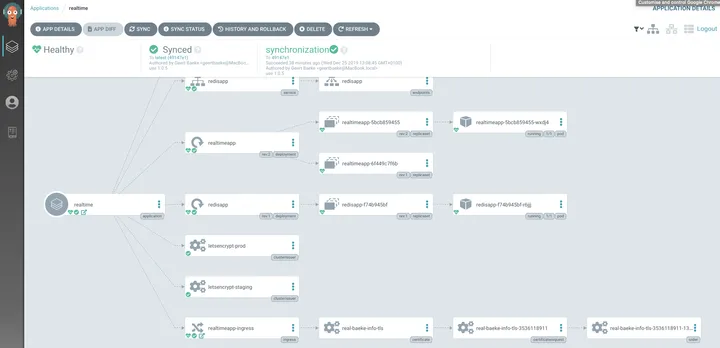
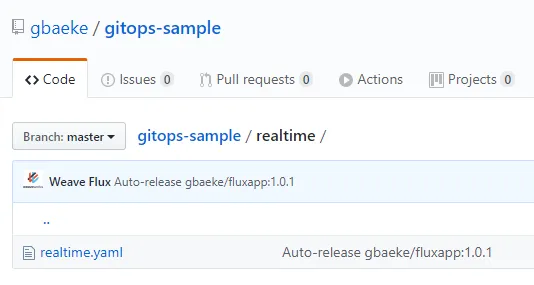
If you have followed my blog a little, you have seen a few posts about GitOps with Flux CD. This time, I am taking a look at Argo CD which, like Flux CD, is a GitOps tool to deploy applications from manifests in a git repository. Don’t want to read this whole thing? There are…
Kustomize and Flux
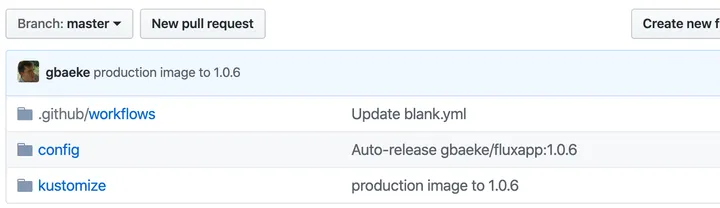
Flux has a feature called manifest generation that works together with Kustomize. Instead of just picking YAML files from a git repo and applying them, customisation is performed with the kustomize build command. The resulting YAML then gets applied to your cluster. If you don’t know how customisation works (without Flux), take a look at…
A quick tour of Kustomize
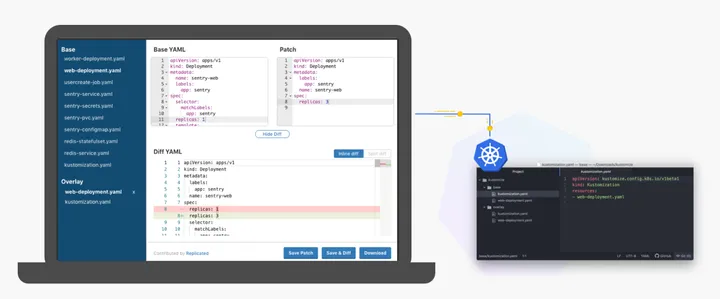
Image above from: https://kustomize.io/ When you have to deploy an application to multiple environments like dev, test and production there are many solutions available to you. You can manually deploy the app (Nooooooo! 😉), use a CI/CD system like Azure DevOps and its release pipelines (with or without Helm) or maybe even a “GitOps” approach…
Creating Kubernetes secrets from Key Vault
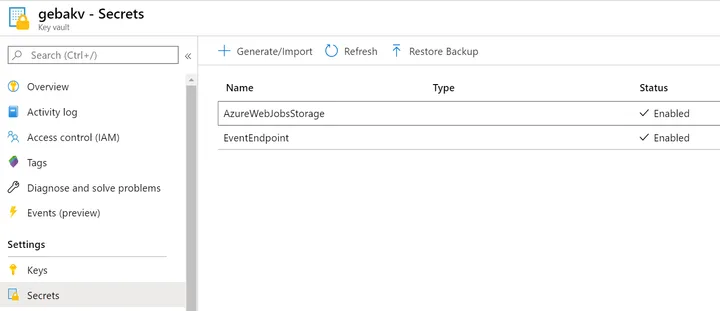
If you do any sort of development, you often have to deal with secrets. There are many ways to deal with secrets, one of them is retrieving the secrets from a secure system from your own code. When your application runs on Kubernetes and your code (or 3rd party code) cannot be configured to retrieve…
Creating a Kubernetes operator on Windows and WSL
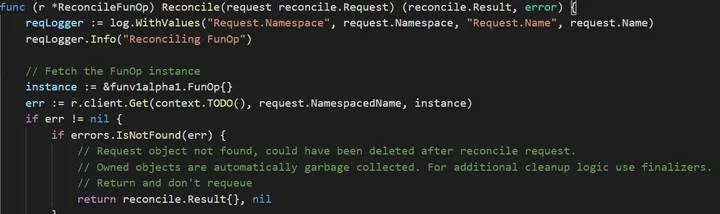
I have always wanted to create a Kubernetes operator with the operator framework and tried to give that a go on my Windows 10 system. Note that the emphasis is on creating an operator, not necessarily writing a useful one 😁. All I am doing is using the boilerplate that is generated by the framework.…
Use a Power Automate Button to start an Azure DevOps build on the go
In a previous post, we built a pipeline to deploy AKS using Azure DevOps. Because it can take while to deploy, it can be handy to start the deployment at any time without having to logon to Azure DevOps. There are many ways to achieve this, but one of the easiest ways is Power Automate.…
Check your yaml files with kubeval and GitHub Actions
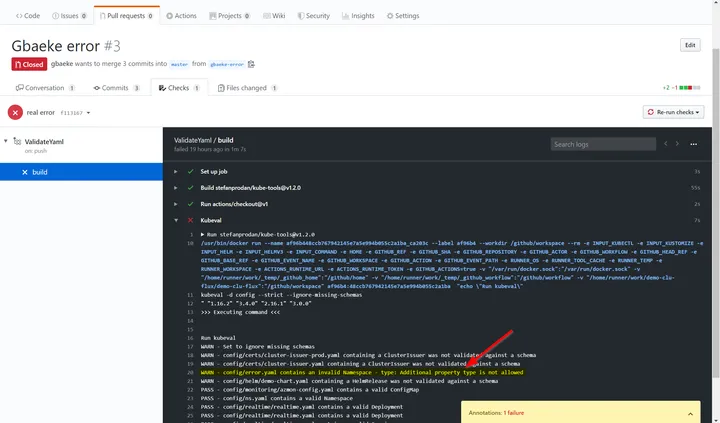
In the previous post, I deployed AKS, Nginx, External DNS, Helm Operator and Flux with a YAML pipeline in Azure DevOps. Flux got linked to a git repo that contains a bunch of yaml files that deploy applications to the cluster but also configures Azure Monitor. Flux essentially synchronizes your cluster with the configuration in…
Deploy AKS with Nginx, External DNS, Helm Operator and Flux
A while ago, I blogged about an Azure YAML pipeline to deploy AKS together with Traefik. As a variation on that theme, this post talks about deploying AKS together with Nginx, External DNS, a Helm Operator and Flux CD. I blogged about Flux before if you want to know what it does. I added the…
Front Door with WordPress on Azure App Service
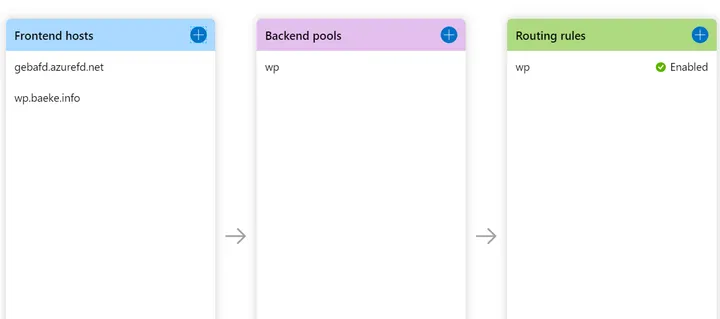
Here’s a quick overview of the steps you need to take to put Front Door in front of an Azure Web App. In this case, the web app runs a WordPress site. Step 1: DNS Suppose you deployed the Web App and its name is gebawptest.azurewebsites.net and you want to reach the site via wp.baeke.info.…
Trying Civo’s Kubernetes Service
In a previous post I talked about k3sup, a tool to easily install k3s on any system available over SSH. If you don’t know what k3s is, it’s a lightweight version of Kubernetes. It also runs on ARMv7 and ARM64 processors. That means it’s also compatible with a Raspberry Pi. If I am not mistaken,…
Trying out k3sup
k3sup is a utility created by Alex Ellis to easily deploy k3s to any local or remote VM. In this post, I am giving the tool a try on a Civo cloud Ubuntu VM. You can of course pick any cloud provider you want or use a local system. Deploying a VM on Civo Cloud…
GitOps with Weaveworks Flux – Installing and Updating Applications
In a previous post, we installed Weaveworks Flux. Flux synchronizes the contents of a git repository with your Kubernetes cluster. Flux can easily be installed via a Helm chart. As an example, we installed Traefik by adding the following yaml to the synced repository: apiVersion: helm.fluxcd.io/v1 kind: HelmRelease metadata: name: traefik namespace: default annotations: fluxcd.io/ignore:…
GitOps with Weaveworks Flux
If you have ever deployed applications to Kubernetes or other platforms, you are probably used to the following approach: developers check in code which triggers CI (continuous integration) and eventually results in deployable artifacts a release process deploys the artifacts to one or more environments such as a development and a production environment In the…
AKS Azure Monitor metrics and alerts
In today’s post, we will take a quick look at Azure Kubernetes Service (AKS) metrics and alerts for Azure Monitor. Out of the box, Microsoft offers two ways to obtain metrics: Metrics that can easily be used with Azure Monitor to generate alerts; these metrics are written to the Azure Monitor metrics store Metrics forwarded…
Back to basics: DNS ALIAS records
A few days ago, I had to map the domain inity.io to a Netlify domain. If you have only worked with DNS once in your life, you probably know about these two types of records: A: an A record maps a name to an IP address CNAME: a CNAME record maps a name to another…
The basics of meshing Traefik 2.0 with Linkerd
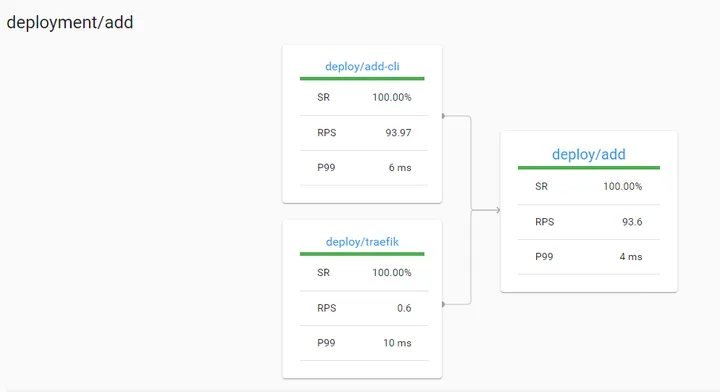
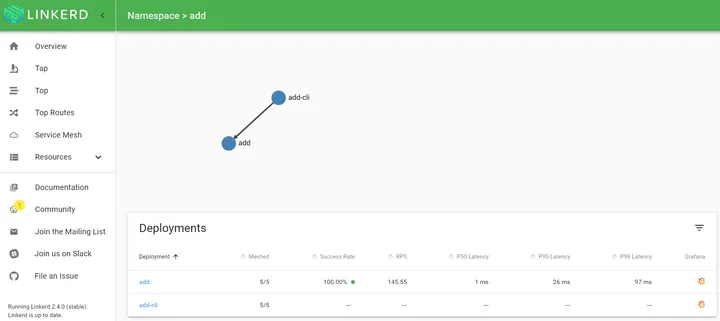
A while ago, I blogged about Linkerd 2.x. In that post, I used a simple calculator API, reachable via an Azure Load Balancer. When you look at that traffic in Linkerd, you see the following: Above, you do not see this is Azure Load Balancer traffic. The traffic reaches the meshed service via the Azure…
Token checking at the API Management layer
In the previous blog post, I talked about the OAuth client credentials flow and how to implement it with Azure Active Directory. At the end of the post, I briefly talked about the need to validate the token in either your application or an intermediary layer. In this post, we will take a look at…
Using the OAuth Client Credentials Flow
I often get questions about protecting applications like APIs using OAuth. I guess you know the drill: you have to obtain a token (typically a JWT or JSON Web Token) the client submits the token to your backend (via a Authorization HTTP header) the token needs to be verified (do you trust it?) you need…
Giving linkerd a spin
A while ago, I gave linkerd a spin. Due to vacations and a busy schedule, I was not able to write about my experience. I will briefly discuss how to setup linkerd and then deploy a sample service to illustrate what it can do out of the box. Let’s go! Wait! What is linkerd? linkerd…
Azure SQL Database High Availability
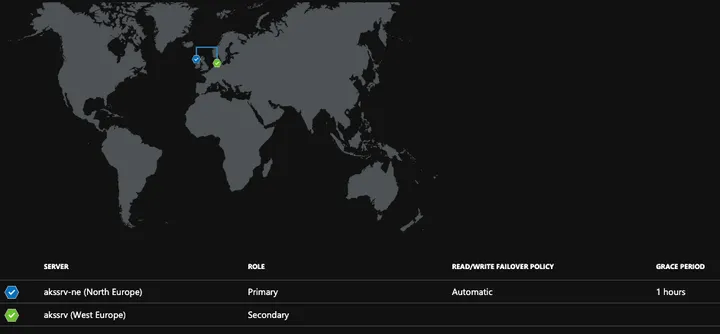
Creating a SQL Database in Azure is a simple matter: create the database and server, get your connection string and off you go! Before starting though, spend some time thinking about the level of high availability (HA) that you want: What is the required level of HA within the deployment region (e.g. West Europe)? Do…
Exposing a local endpoint to the Internet with inlets
A while ago, I learned about inlets by Alex Ellis. It allows you to expose an endpoint on your internal network via a tunnel to an exit node. To actually reach your internal website, you navigate to the public IP and port of the exit node. Something like this: Internet user –> public IP:port of…
Deploy AKS and Traefik with an Azure DevOps YAML pipeline
This post is a companion to the following GitHub repository: https://github.com/gbaeke/aks-traefik-azure-deploy. The repository contains ARM templates to deploy an AD integrated Kubernetes cluster and an IP address plus a Helm chart to deploy Traefik. Traefik is configured to use the deployed IP address. In addition to those files, the repository also contains the YAML pipeline,…
Quick Tip: deploying multiple Traefik ingresses
For a customer that is developing a microservices application, the proposed architecture contains two Kubernetes ingresses: internal ingress: exposed via an Azure internal load balancer, deployed in a separate subnet in the customer’s VNET; no need for SSL external ingress: exposed via an external load balancer; SSL via Let’s Encrypt The internal ingress exposes API…
Inspecting Web Application Firewall logs
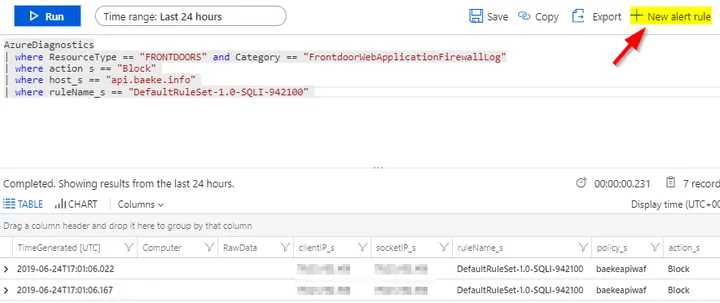
In some of my previous posts, I talked about Azure Front Door and Web Application Firewall policies to protect a workload like one or more APIs running on Kubernetes or App Service. Although I enabled the Web Application Firewall policies, I did not show what happens when the rules are triggered. Let’s take a look…
Azure Front Door and multi-region deployments
In the previous post, we looked at publishing and securing an API with Azure Front Door and Azure Web Application Firewall. The API ran on Kubernetes, exposed by Kong and Kong Ingress Controller. Kong was configured to require an API key to call the /users API, allowing us to identify the consumer of the API.…
Publishing and securing your API with Kong and Azure Front Door
In the post, Securing your API with Kong and CloudFlare, I exposed a dummy API on Kubernetes with Kong and published it securely with CloudFlare. The breadth of features and its ease of use made CloudFlare a joy to work with. It didn’t take long before I got the question: “can’t you do that with Azure…
Securing your API with Kong and CloudFlare
In the previous post, we looked at API Management with Kong and the Kong Ingress Controller. We did not care about security and exposed a sample toy API over a public HTTP endpoint that also required an API key. All in the clear, no firewall, no WAF, nothing… 👎👎👎 In this post, we will expose…
API Management with Kong Ingress Controller on Kubernetes
In previous posts, I wrote about Azure API Management in combination with APIs hosted on Kubernetes: API Management with private APIs: requires API Management with virtual network integration because the APIs are reachable via an internal ingress on the Azure virtual network; use the premium tier 💰💰💰 API Management with public APIs: does not require…
Azure API Management with public APIs on Kubernetes
In my previous blog post, I looked at Azure API Management in combination with private APIs hosted on Kubernetes. The APIs were exposed via Traefik and an internal load balancer. To make that scenario work, the Azure API Management premium SKU is required, which is quite costly. This post describes another approach where the APIs…
Azure API Management and Azure Kubernetes Service
You have decided to host your APIs in Kubernetes in combination with an API management solution? You are surely not the only one! In an Azure context, one way of doing this is combining Azure API Management and Azure Kubernetes Service (AKS). This post describes one of the ways to get this done. We will…
Azure DevOps multi-stage YAML pipelines
A while ago, the Azure DevOps blog posted an update about multi-stage YAML pipelines. The concept is straightforward: define both your build (CI) and release (CD) pipelines in a YAML file and stick that file in your source code repository. In this post, we will look at a simple build and release pipeline that builds…
Quick overview of Traefik Ingress Controller Installation
This post is mainly a note to self 📝📝📝 that describes a quick way to deploy a Kubernetes Ingress Controller with Traefik. There is also a video version: We will install Traefik with Helm and I assume the cluster has rbac enabled. If you deploy clusters with AKS, that is the default although you can…
A look at Windows containers on AKS
Now that the public preview of Windows containers on AKS is available, let’s look at the basics. You need a couple of things to get started, including a couple of subscription-wide settings. I recommend using a subscription that is not used to roll out production AKS clusters. Make sure the Azure CLI (az) is homed…
A first look at Rancher Rio
As explained on https://github.com/rancher/rio, Rancher Rio is a MicroPaaS that can be layered on top of any standard Kubernetes cluster. It makes it easier to deploy, scale, version and expose services. In this post, we will take a quick look at some of its basic capabilities. To follow along, make sure you have a Kubernetes…
Streamlined Kubernetes Development with Draft
A longer time ago, I wrote a post about draft. Draft is a tool to streamline your Kubernetes development experience. It basically automates, based on your code, the creation of a container image, storing the image in a registry and installing a container based on that image using a Helm chart. Draft is meant to…
Update on restricting egress traffic on Azure Kubernetes Service
In an earlier post, I discussed the combination of Azure Firewall and Azure Kubernetes Service (AKS) to secure ingress and egress AKS traffic. A few days ago, Microsoft added documentation that describes the ports and URLs to allow when you route traffic through Azure Firewall or a virtual appliance. Some of the allowed ports and…
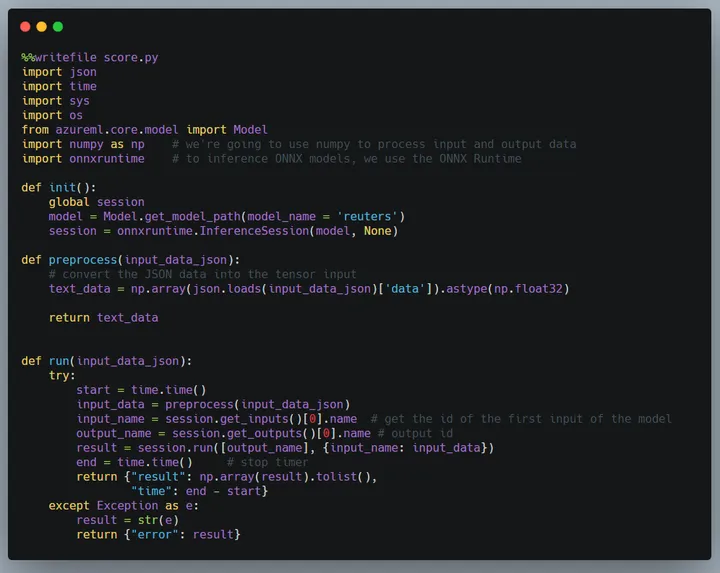
Creating and deploying a model with Azure Machine Learning Service
In this post, we will take a look at creating a simple machine learning model for text classification and deploying it as a container with Azure Machine Learning service. This post is not intended to discuss the finer details of creating a text classification model. In fact, we will use the Keras library and its…
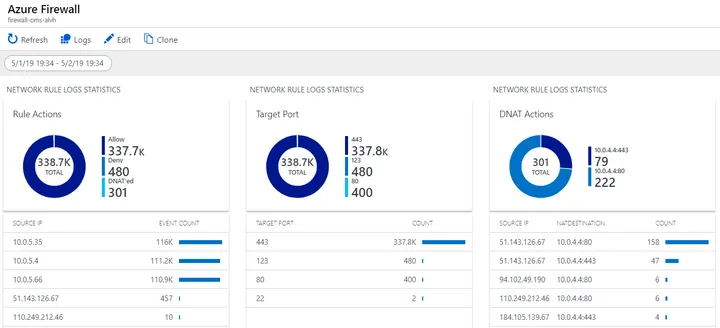
Azure Kubernetes Service and Azure Firewall
Deploying Azure Kubernetes Service (AKS) is, like most other Kubernetes-as-a-service offerings such as those from DigitalOcean and Google, very straightforward. It’s either a few clicks in the portal or one or two command lines and you are finished. Using these services properly and in a secure fashion is another matter though. I am often asked…
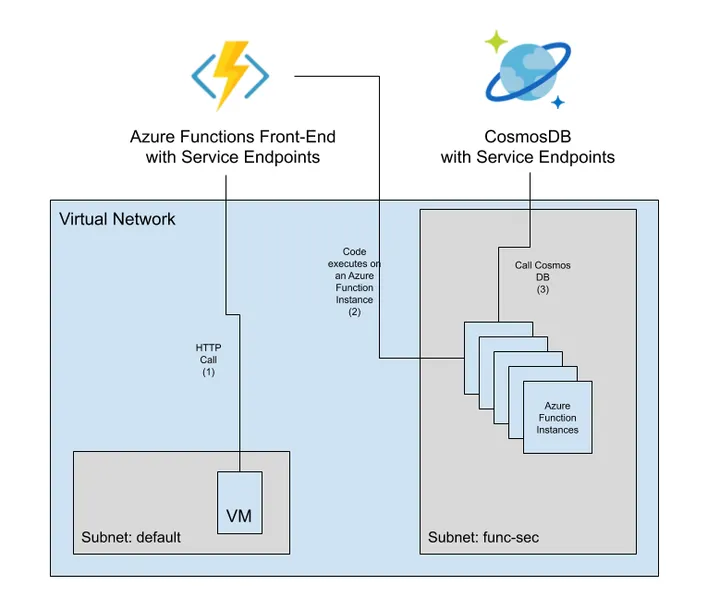
Securing access to and from Azure Functions
I am often asked how to secure access to and from Azure Functions that are not running in an App Service Environment (ASE). An App Service Environment allows you to safeguard your apps in a subnet of your Azure Virtual Network. In a sense, it gives you a private deployment of Azure App Service that…
Querying Postgres with GraphQL
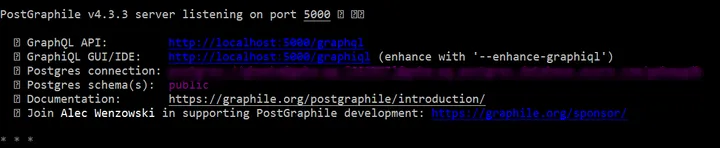
I wanted a quick and easy way to build an API that retrieves the ten latest events from a stream of data sent to a TimescaleDB hypertable. Since such a table can be queried by any means supported by Postgres, I decided to use Postgraphile, which automatically provides a GraphQL server for a database. If…
Further improvements to the IoT Hub to TimescaleDB Azure Function
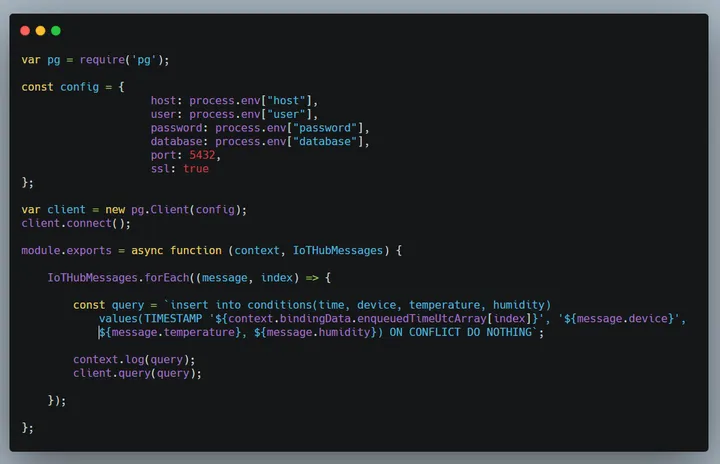
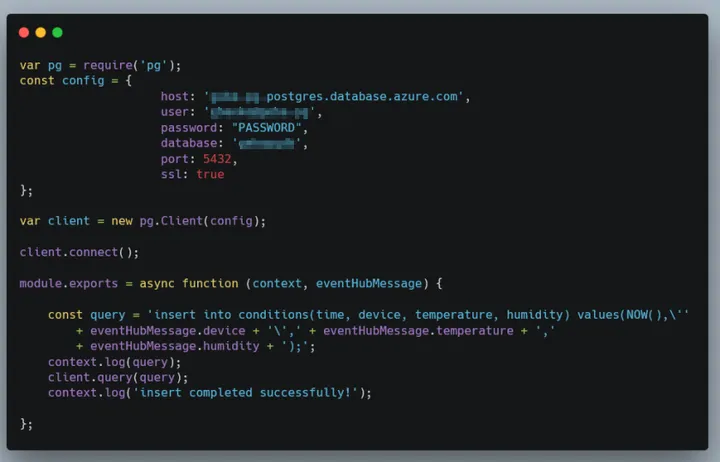
In the post Improving an Azure Function that writes IoT Hub data to TimescaleDB, we added some improvements to an Azure Function that uses the Event Hub trigger to write messages from IoT Hub to TimescaleDB: use of the Event Hub enqueuedTime timestamp instead of NOW() in the INSERT statement (yes, I know, using NOW() did…
Revisiting Rancher
Several years ago, when we started our first adventures in the wonderful world of IoT, we created an application for visualizing real-time streams of sensor data. The sensor data came from custom-built devices that used 2G for connectivity. IoT networks and protocols such as SigFox, NB-IoT or Lora were not mainstream at that time. We…
Improving an Azure Function that writes IoT Hub data to TimescaleDB
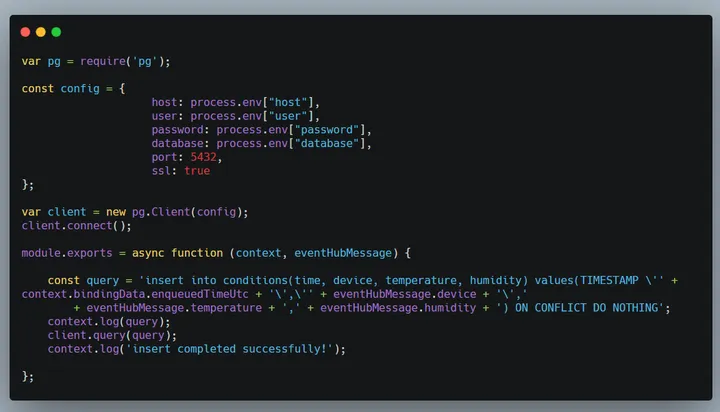
In an earlier post, I used an Azure Function to write data from IoT Hub to a TimescaleDB hypertable on PostgreSQL. Although that function works for demo purposes, there are several issues. Two of those issues will be addressed in this post: the INSERT INTO statement used the NOW() function instead of the enqueuedTimeUtc field;…
Dashboard your TimescaleDB data with Grafana
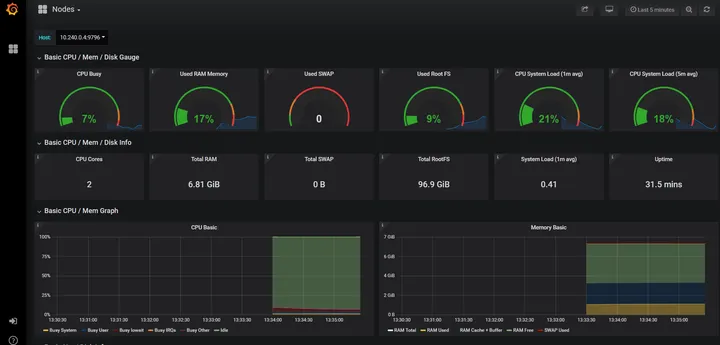
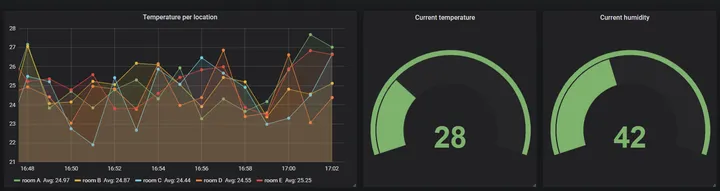
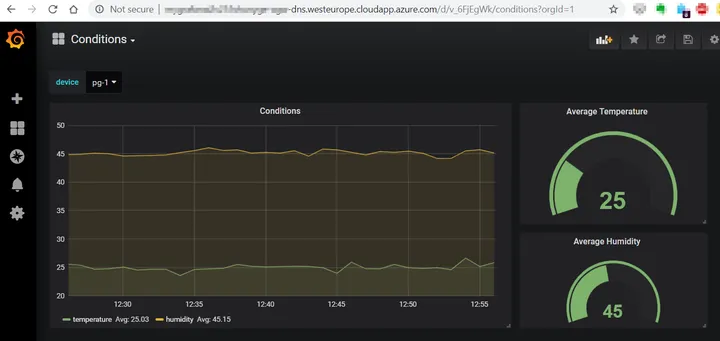
In an earlier post, I looked at storing time-series data with TimescaleDB on Azure Database for PostgreSQL. To visualize your data, there are many options as listed here. Because TimescaleDB is built on PostgreSQL, you can use any tool that supports PostgreSQL such as Power BI or Tableau. Grafana is a bit of a special…
Multi-Tier Bitnami Grafana Stack on Azure
After seeing some tweets about Bitnami’s multi-tier Grafana Stack, I decided to give it a go. On the page describing the Grafana stack, there are several deployment offerings: I decided to use the multi-tier deployment, which deploys multiple Grafana nodes and a shared Azure Database for MariaDB. On Azure, the Grafana stack is deployed via…
Azure Functions with Consumption Plan on Linux
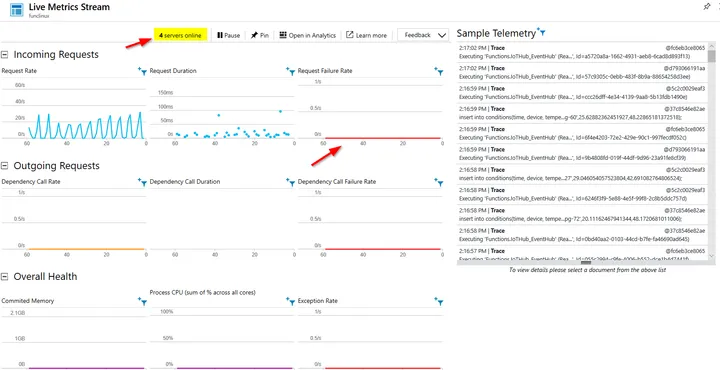
In a previous post, I talked about saving time-series data to TimescaleDB, which is an extension on top of PostgreSQL. The post used an Azure Function with an Event Hub trigger to save the data in TimescaleDB with a regular INSERT INTO statement. The Function App used the Windows runtime which gave me networking errors…
IoT with Azure Database for PostgreSQL and TimescaleDB
In IoT projects, the same question always comes up: “Where do we store our telemetry data?”. As usual, the answer to that question is not straightforward. We have seen all kinds of solutions in the wild: save directly to a relational database (SQL Server, MySQL, …) save to a data lake and/or SQL save to…
Cloud Run on Google Kubernetes Engine
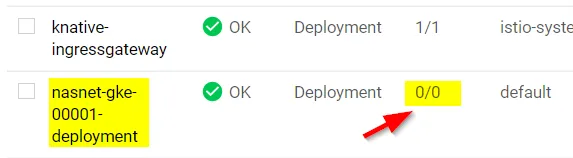
In this short post, we will take a look at Cloud Run on Google Kubernetes Engine (GKE). To get this to work, you will need to deploy a Kubernetes cluster. Make sure you use nodes with at least 2 vCPUs and 7.5 GB of memory. Take a look here for more details. You will notice…
Trying Google Cloud Run
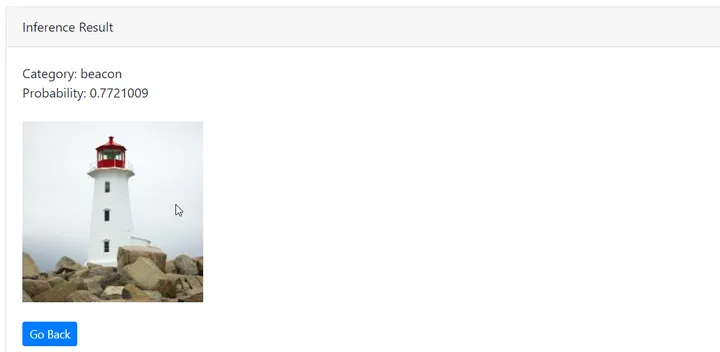
With the release of Google’s Cloud Run, I decided to check it out with my nasnet container. With Cloud Run, you simply deploy your container and let Google scale it based on the requests it receives. When your container is not used, it gets scaled to zero. As such, it combines the properties of a…
Azure Front Door Revisited
A while ago, I wrote a post about Azure Front Door. In that post, I wrote that http to https redirection was not possible. With Azure Front Door being GA, let’s take a look if that is still the case. In the previous post, I had the following configuration in Front Door Designer: The above…
Hosting an Angular app in Kubernetes
We recently had to deploy an Angular application to Kubernetes in three different environments: development, acceptance and production. The application is not accessed via the browser directly. Instead, it’s accessed via a Microsoft Office add-in. The next sections will provide you with some tips to make this work. In practice, I do not recommend hosting…
Creating and containerizing a TensorFlow Go application
In an earlier post, I discussed using a TensorFlow model from a Go application. With the TensorFlow bindings for Go, you can load a model that was exported with TensorFlow’s SavedModelBuilder module. That module saves a “snapshot” of a trained model which can be used for inference. In this post, we will actually use the…
Using TensorFlow models in Go
Image via http://www.vpnsrus.com In earlier posts, I discussed hosting a deep learning model such as Resnet50 on Kubernetes or Azure Container Instances. The model can then be used as any API which receives input as JSON and returns a result as JSON. Naturally, you can also run the model in offline scenarios and directly from…
AKS Managed Pod Identity and access to Azure Storage
When you need to access Azure Storage (or other Azure resources) from a container in AKS (Kubernetes on Azure), you have many options. You can put credentials in your code (nooooo!), pass credentials via environment variables, use Kubernetes secrets, obtain secrets from Key Vault and so on. Usually, the credentials are keys but you can…
Kubernetes on DigitalOcean
Image: from DigitalOcean’s website Yesterday, I decided to try out DigitalOcean’s Kubernetes. As always with DigitalOcean, the solution is straightforward and easy to use. Similarly to Azure, their managed Kubernetes product is free. You only pay for the compute of the agent nodes, persistent block storage and load balancers. The minimum price is 10$ per…
Virtual Node support in Azure Kubernetes Service (AKS)
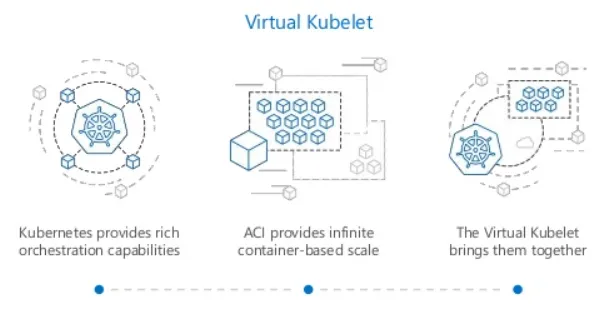
Although I am using Kubernetes a lot, I didn’t quite get to trying the virtual nodes support. Virtual nodes is basically the implementation on AKS of the virtual kubelet project. The virtual kubelet project allows Kubernetes nodes to be backed by other services that support containers such as AWS Fargate, IoT Edge, Hyper.sh or Microsoft’s…
Microsoft Face API with a local container
A few days ago, I obtained access to the Face container. It provides access to the Face API via a container you can run where you want: on your pc, at the network edge or in your datacenter. You should allocate 6 GB or RAM and 2 cores for the container to run well. Note…
Building a real-time messaging server in Go
Often, I need a simple real-time server and web interface that shows real-time events. Although there are many options available like socket.io for Node.js or services like Azure SignalR and PubNub, I decided to create a real-time server in Go with a simple web front-end: For a real-time server in Go, there are several options.…
Infrastructure as Code: exploring Pulumi
Image: from the Pulumi website In my Twitter feed, I often come across Pulumi so I decided to try it out. Pulumi is an Infrastructure as Code solution that allows you to use familiar development languages such as JavaScript, Python and Go. The idea is that you define your infrastructure in the language that you…
Azure API Management Consumption Tier
In the previous post, I talked about a personal application I use to deploy Azure resources to my lab subscription. The architecture is pretty straightforward: After obtaining an id token from Azure Active directory (v1 endpoint), API calls go to API Management with the token in the authorization HTTP header. API Management is available in…
Simple Azure AD Authentication in a single page application (SPA)
Adding Azure AD integration to a website is often confusing if you are just getting started. Let’s face it, not everybody has the opportunity to dig deep into such topics. For https://deploy.baeke.info, I wanted to enable Azure AD authentication so that only a select group of users in our AD tenant can call the back-end…
Azure Front Door in front of a static website
In the previous post, I wrote about hosting a simple static website on an Azure Storage Account. To enable a custom URL such as https://geertbaeke.wordpress.com, you can add Azure CDN. If you use the Verizon Premium tier, you can configure rules such as a http to https redirect rule. This is similar to hosting static…
Static site hosting on Azure Storage with a custom domain and TLS
A while ago, I blogged about webhookd. It is an application, written in Go, that can easily convert a folder structure with shell scripts into webhooks. With the help of CertMagic, I modified the application to support Let’s Encrypt certificates. The application is hosted on an Azure Linux VM that uses a managed identity to…
Running a GoCV application in a container
In earlier posts (like here and here) I mentioned GoCV. GoCV allows you to use the popular OpenCV library from your Go programs. To avoid installing OpenCV and having to compile it from source, a container that runs your GoCV app can be beneficial. This post provides information about doing just that. The following GitHub…
Using the Microsoft Face API to detect emotions in photos and video
⚠️ IMPORTANT: the Face API container was retired early 2021. The container image is not available anymore. In a previous post, I blogged about detecting emotions with the ONNX FER+ model. As an alternative, you can use cloud models hosted by major cloud providers such as Microsoft, Amazon and Google. Besides those, there are many…
Detecting emotions with FER+
In an earlier post, I discussed classifying images with the ResNet50v2 model. Azure Machine Learning Service was used to create a container image that used the ONNX ResNet50v2 model and the ONNX Runtime for scoring. Continuing on that theme, I created a container image that uses the ONNX FER+ model that can detect emotions in…
ResNet50v2 classification in Go with a local container
To quickly go to the code, go here. Otherwise, keep reading… In a previous blog post, I wrote about classifying images with the ResNet50v2 model from the ONNX Model Zoo. In that post, the container ran on a Kubernetes cluster with GPU nodes. The nodes had an NVIDIA v100 GPU. The actual classification was done…
Recognizing images with Azure Machine Learning and the ONNX ResNet50v2 model
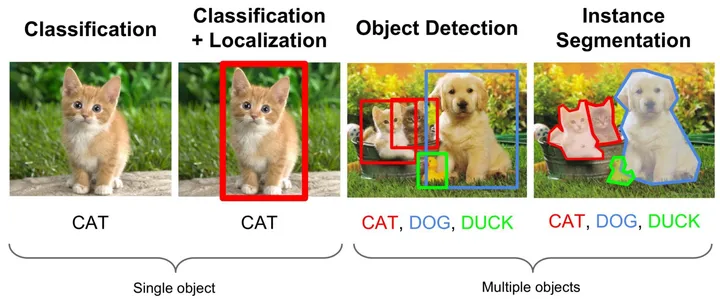
Featured image from: https://medium.com/comet-app/review-of-deep-learning-algorithms-for-object-detection-c1f3d437b852 In a previous post, I discussed the creation of a container image that uses the ResNet50v2 model for image classification. If you want to perform tasks such as localization or segmentation, there are other models that serve that purpose. The image was built with GPU support. Adding GPU support was pretty…
Creating a GPU container image for scoring with Azure Machine Learning
In a previous post, I discussed how you can add an existing Kubernetes cluster to an Azure Machine Learning workspace. Adding an existing cluster is necessary when the workspace does not support auto creation of a cluster. That is the case when you want to use the Standard_NC6s_v3 virtual machine image. I also used a…