Inspecting Web Application Firewall logs
Outdated: this post is from 2019. It uses the WAF on Azure Front Door (classic), which is being retired; log schemas differ in Front Door Standard and Premium.
In some of my previous posts, I talked about Azure Front Door and Web Application Firewall policies to protect a workload like one or more APIs running on Kubernetes or App Service. Although I enabled the Web Application Firewall policies, I did not show what happens when the rules are triggered. Let’s take a look at that! 🕶
Before we get started though, take the following diagram into account:
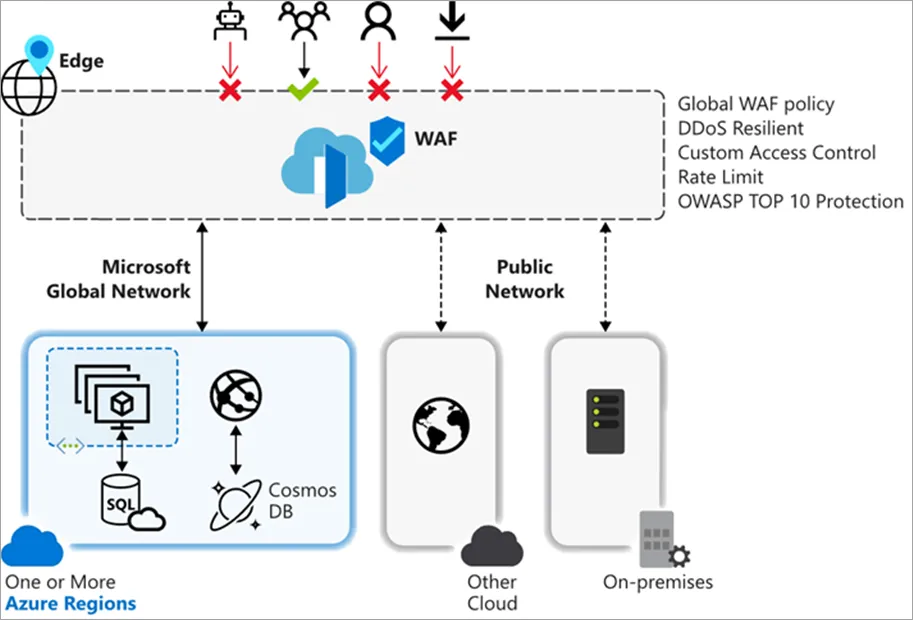
From: https://docs.microsoft.com/en-us/azure/frontdoor/waf-overview
WAF for Front Door is a global solution. You create a WAF policy in the portal or via other means and attach it to a Front Door frontend. Rules are evaluated and acted upon at the edge versus on your application server.
Azure WAF supports custom rules and Azure-managed rule sets (based on OWASP). The custom rules are interesting because they allow you to restrict IP addresses, configure geographic based access control and more.
There’s an additional rule type called bot protection rule as well. At the time of this writing (beginning June 2019) this feature is in public preview. It uses the Microsoft Intelligent Security Graph to do its magic, similarly to Azure Firewall when you enable Threat Intelligence.
WAF Logs
Let’s first use a tool that can scan an endpoint for vulnerabilities to trigger the WAF rules. One such tool is OWASP ZAP, which you need to install on your workstation.
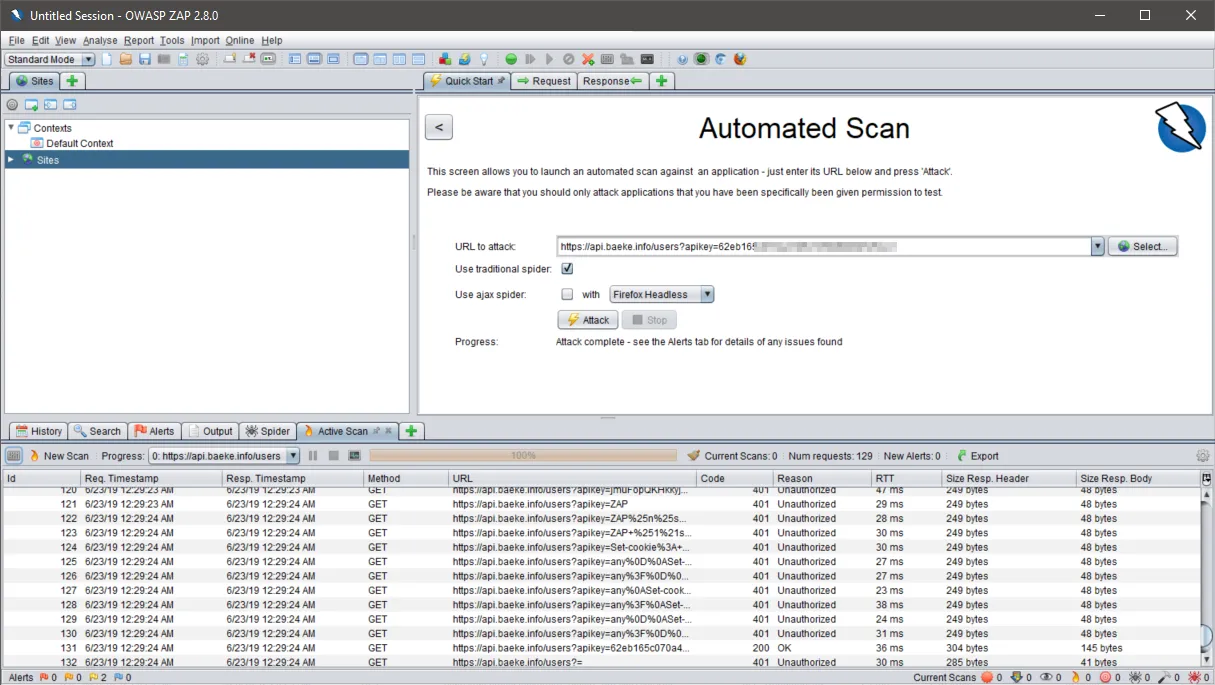
OWASP ZAP tool
Before we check the logs, note we have set the policy to Detection:
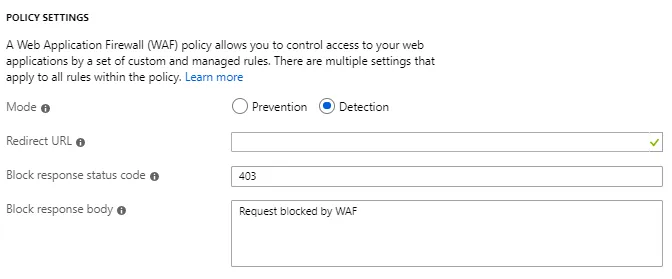
WAF policy set to Detection; start with detection to learn what the rules might block in your app
Now let’s take a look at the logs. Use the following query in Log Analytics and modify it for your own host (host_s field):
AzureDiagnostics
| where ResourceType == "FRONTDOORS" and Category == "FrontdoorWebApplicationFirewallLog"
| where action_s == "Block"
| where host_s == "api.baeke.info"
The result:
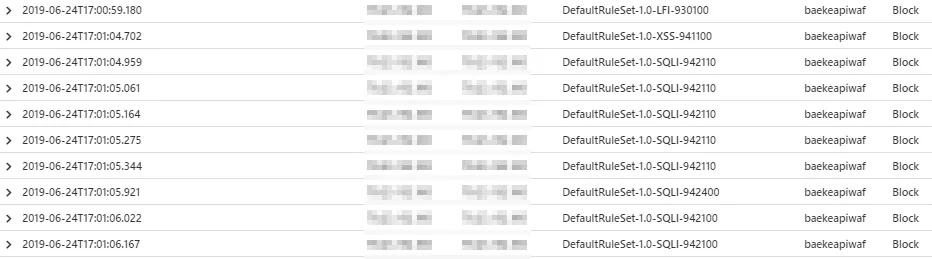
Blocked requests (if the policy were set at Prevention at the global level)
Let’s look at a SQL Injection block:
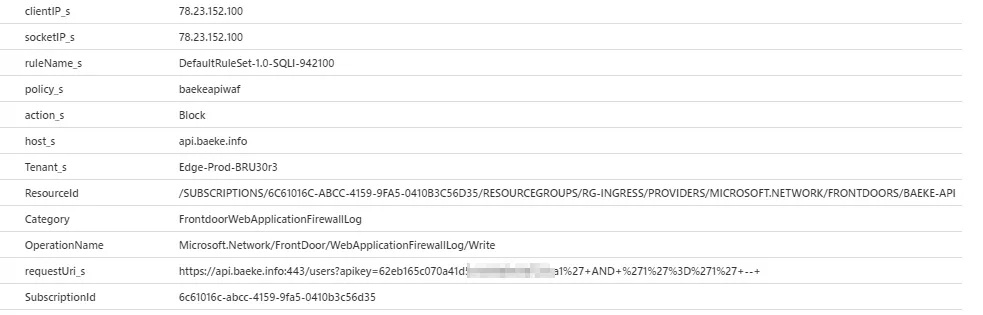
Typical SQL Injection
The decoded requestUri_s is https://api.baeke.info:443/users?apikey=theapikey’ AND ‘1’=’1′ –. Typical! It was blocked at the edge. This request went via the BRU location.
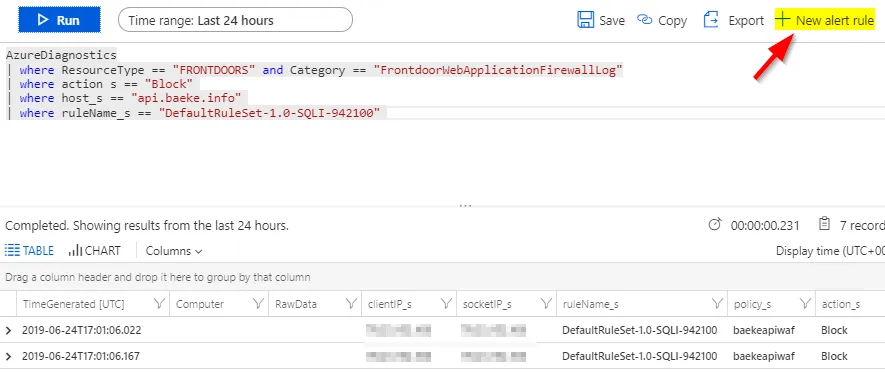
Like with any Log Analytics query, you can place alerts on log occurrences. You will need to be in the Log Analytics workspace, and not in the Logs section of Azure Front Door:
Conclusion
Azure Web Application Firewall policies for Azure Front Door integrate with Azure Monitor and Log Analytics, like most other Azure services. With some KQL, the query language for Log Analytics, it is straightforward to request the logs and set alerts on them.
#api#frontdoor#security#waf#web
If this post helped you, you can buy me a coffee ☕
Comments
Comments are stored as GitHub Discussions: sign in with GitHub to join in.