Azure Front Door Revisited
Outdated: this post is from 2019. It shows Azure Front Door (classic), which is being retired in favour of Front Door Standard and Premium.
A while ago, I wrote a post about Azure Front Door. In that post, I wrote that http to https redirection was not possible. With Azure Front Door being GA, let’s take a look if that is still the case.
In the previous post, I had the following configuration in Front Door Designer:
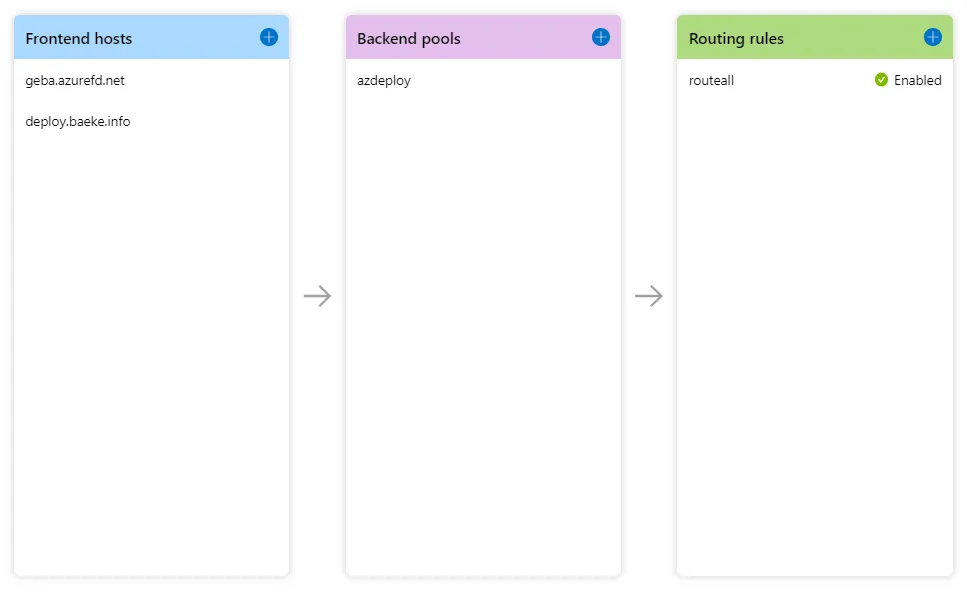
Azure Front Door Designer
The above configuration exposes a static website hosted in an Azure Storage Acccount (the backend in the backend pool). The custom domain deploy.baeke.info maps to geba.azurefd.net using a CNAME in my CloudFlare hosted domain. The routing rule routeall maps all requests to the backend.
The above configuration does not, however, redirect http://deploy.baeke.info to https://deploy.baeke.info which is clearly not what we want. In order to achieve that goal, the routing rules can be changed. A redirect routing rule looks as follows:
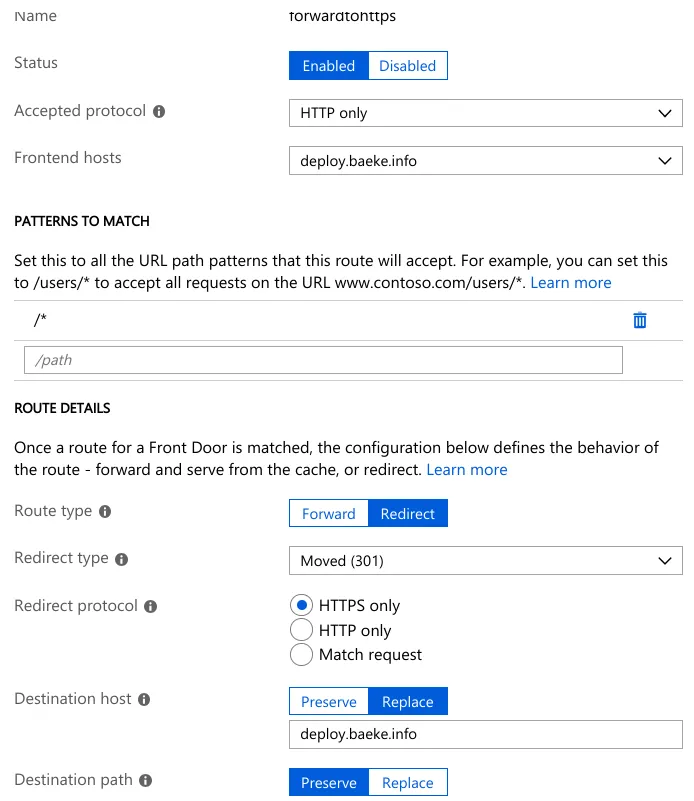
Redirect routing rule (Replace destination host was not required)
The routall rule looks like this:
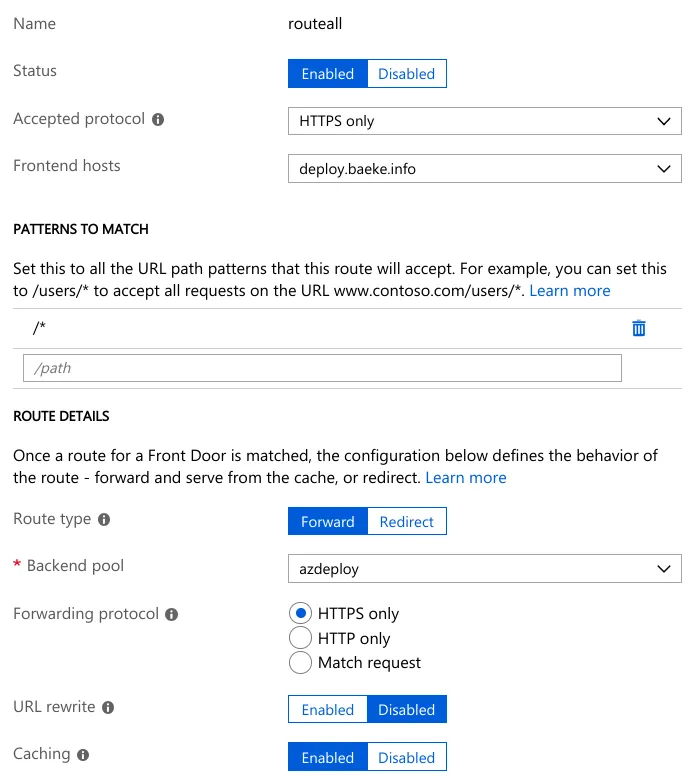
Routing rule
The routing rule simply routes https://deploy.baeke.info to the azdeploy backend pool which only contains the single static website hosted in a storage account.
The full config looks like this:
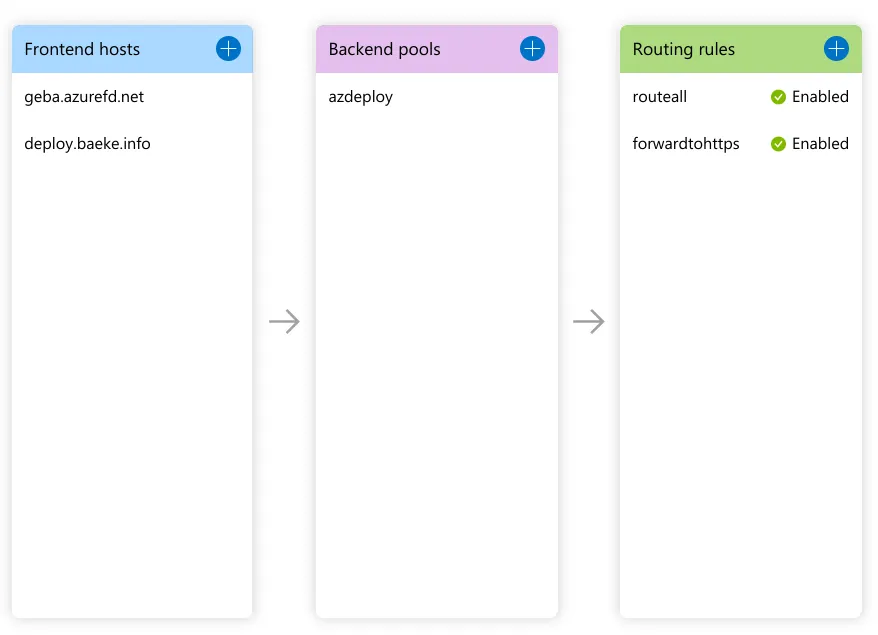
Full config in Front Door designer
Although not very useful for this static website, I also added WAF (Web Application Firewall) rules to Azure Front Door. In the Azure Portal, just search for WAF and add a policy. I added a default policy and associated it with this Azure Front Door website:
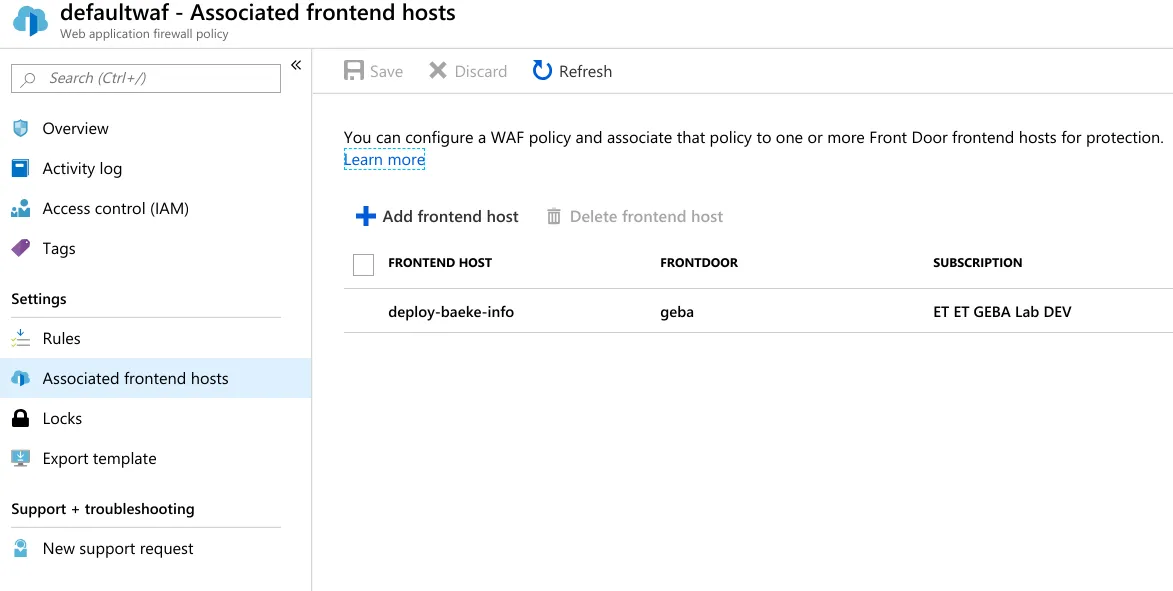
WAF rules associated with the Azure Front Door frontend
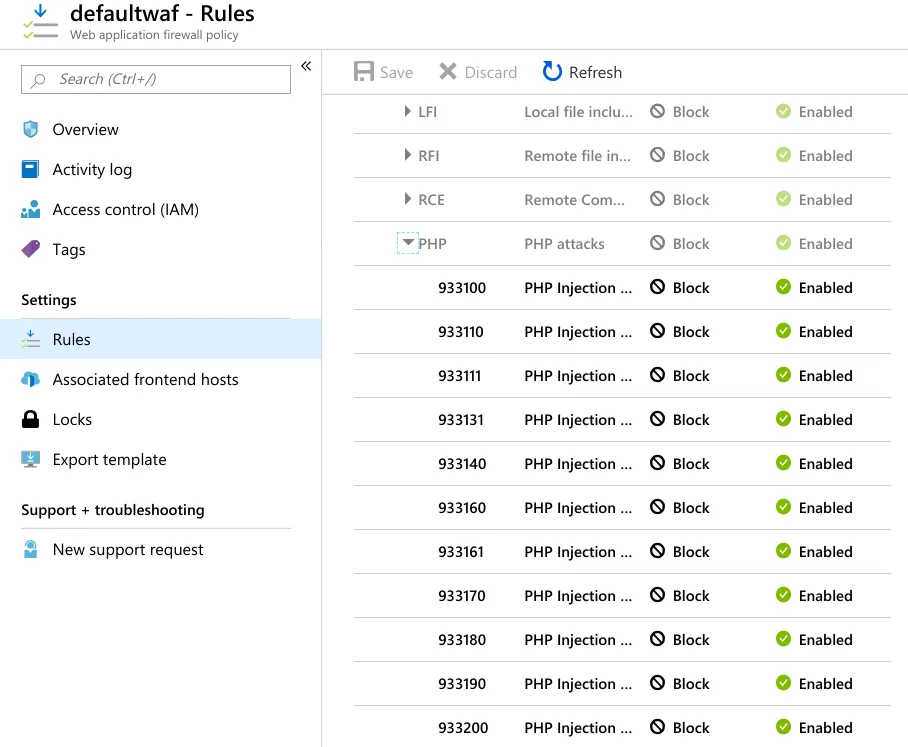
If required, you can enable/disable WAF rules:
If this post helped you, you can buy me a coffee ☕
Comments
Comments are stored as GitHub Discussions: sign in with GitHub to join in.