Creating Kubernetes secrets from Key Vault
If you do any sort of development, you often have to deal with secrets. There are many ways to deal with secrets, one of them is retrieving the secrets from a secure system from your own code. When your application runs on Kubernetes and your code (or 3rd party code) cannot be configured to retrieve the secrets directly, you have several options. This post looks at one such solution: Azure Key Vault to Kubernetes from Sparebanken Vest, Norway.
In short, the solution connects to Azure Key Vault and does one of two things:
- Create a regular Kubernetes secret with the controller
- Inject the secrets in the pod with the Env Injector
In my scenario, I just wanted regular secrets to use in a KEDA project that processes IoT Hub messages. The following secrets were required:
- Connection string to a storage account: AzureWebJobsStorage
- Connection string to IoT Hub’s event hub: EventEndpoint
In the YAML that deploys the pods that are scaled by KEDA, the secrets are referenced as follows:
env:
 - name: AzureFunctionsJobHost__functions__0
   value: ProcessEvents
 - name: FUNCTIONS_WORKER_RUNTIME
   value: node
 - name: EventEndpoint
   valueFrom:
     secretKeyRef:
       name: kedasample-event
       key: EventEndpoint
 - name: AzureWebJobsStorage
   valueFrom:
     secretKeyRef:
       name: kedasample-storage
       key: AzureWebJobsStorage
Because the YAML above is deployed with Flux from a git repo, we need to get the secrets from an external system. That external system in this case, is Azure Key Vault.
To make this work, we first need to install the controller that makes this happen. This is very easy to do with the Helm chart. By default, this Helm chart will work well on Azure Kubernetes Service as long as you give the AKS security principal read access to Key Vault:
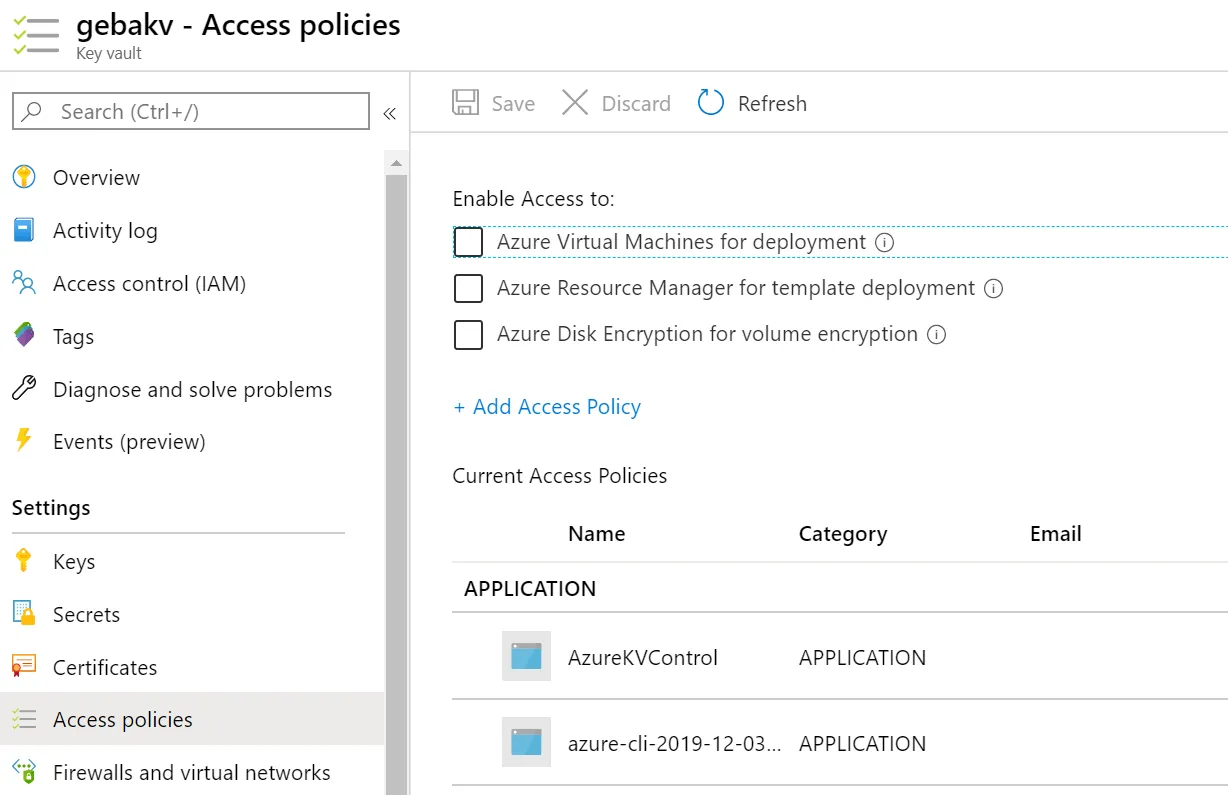
Access policies in Key Vault (azure-cli-2019-… is the AKS service principal here)
Next, define the secrets in Key Vault:
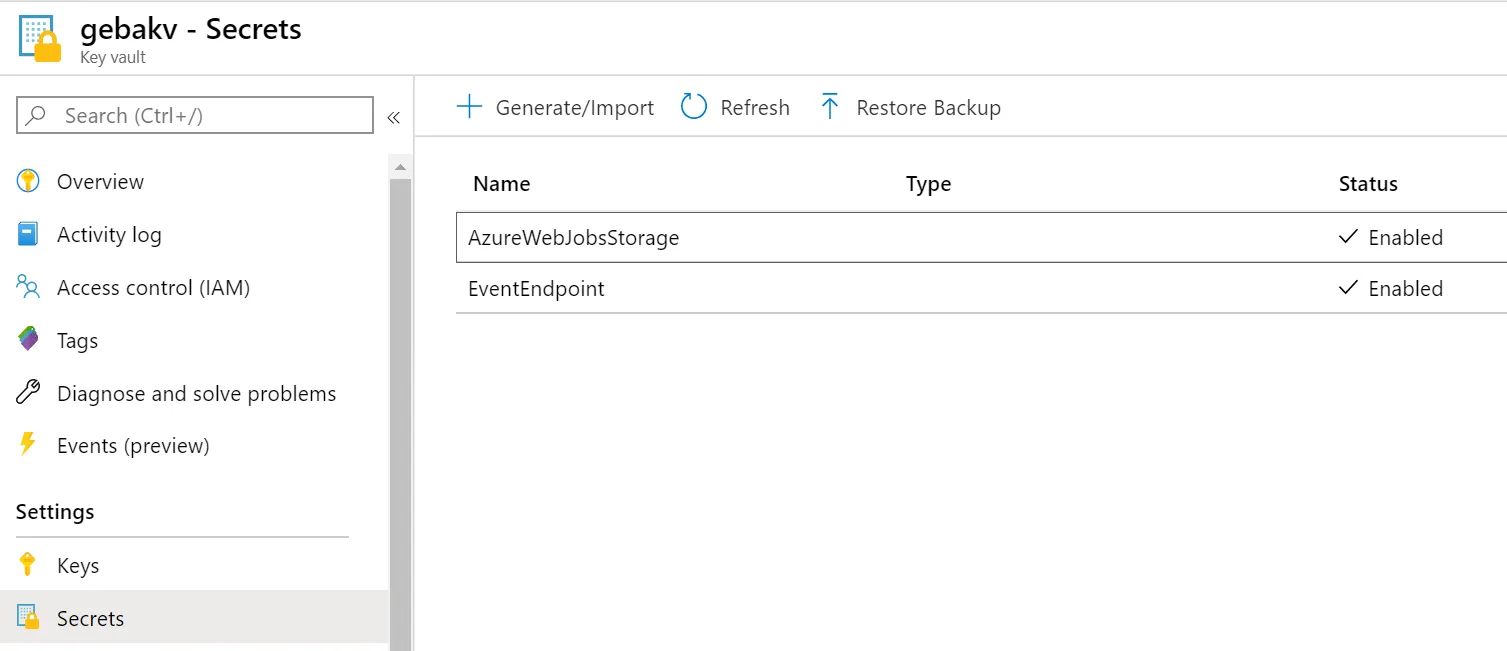
Secrets in Key Vault
With the access policies in place and the secrets defined in Key Vault, the controller installed by the Helm chart can do its work with the following YAML:
apiVersion: spv.no/v1alpha1
kind: AzureKeyVaultSecret
metadata:
  name: eventendpoint
  namespace: default
spec:
  vault:
    name: gebakv
    object:
      name: EventEndpoint
      type: secret
  output:
    secret:
      name: kedasample-event
      dataKey: EventEndpoint
      type: opaque
---
apiVersion: spv.no/v1alpha1
kind: AzureKeyVaultSecret
metadata:
  name: azurewebjobsstorage
  namespace: default
spec:
  vault:
    name: gebakv
    object:
      name: AzureWebJobsStorage
      type: secret
  output:
    secret:
      name: kedasample-storage
      dataKey: AzureWebJobsStorage
      type: opaque
The above YAML defines two objects of kind AzureKeyVaultSecret. In each object we specify the Key Vault secret to read (vault) and the Kubernetes secret to create (output). The above YAML results in two Kubernetes secrets:
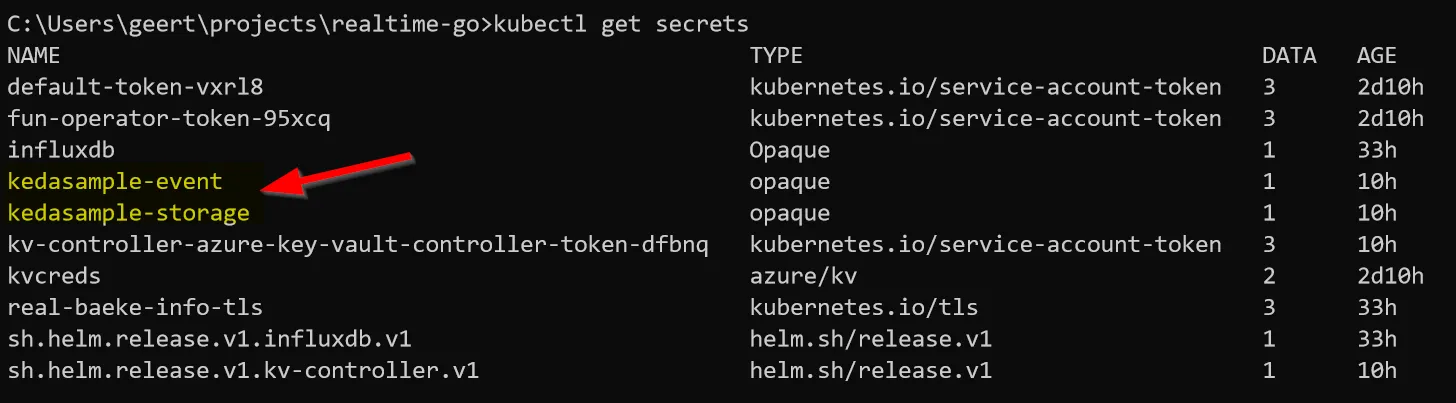
Two regular secrets
When you look inside such a secret, you will see:

Inside the secret
To double check the secret, just do echo RW5K… | base64 -d to see the decoded secret and that it matches the secret stored in Key Vault. You can now reference the secret with ValueFrom as shown earlier in this post.
Conclusion
If you want to turn Azure Key Vault secrets into regular Kubernetes secrets for use in your manifests, give the solution from Sparebanken Vest a go. It is very easy to use. If you do not want regular Kubernetes secrets, opt for the Env Injector instead, which injects the environment variables directly in your pod.
#keda#keyvault#kubernetes#secrets
If this post helped you, you can buy me a coffee ☕
Comments
Comments are stored as GitHub Discussions: sign in with GitHub to join in.