Publishing and securing your API with Kong and Azure Front Door
Outdated: this post is from 2019. It uses Azure Front Door (classic), which is being retired, and Kong resources that have changed since.
In the post, Securing your API with Kong and CloudFlare, I exposed a dummy API on Kubernetes with Kong and published it securely with CloudFlare. The breadth of features and its ease of use made CloudFlare a joy to work with. It didn’t take long before I got the question: “can’t you do that with Azure only?”. The answer is obvious: “Of course you can!”
In this post, the traffic flow is as follows:
Consumer -- HTTPS --> Azure Front Door with WAF policy -- HTTPS --> Kong (exposed with Azure Load Balancer) -- HTTP --> API Kubernetes service --> API podsSimilarly to CloudFlare, Azure Front Door provides a fully trusted certificate for consumers of the API. In contrast to CloudFlare, Azure Front Door does not provide origin certificates which are trusted by Front Door. That’s easy to solve though by using a fully trusted Let’s Encrypt certificate which is stored as a Kubernetes secret and used in the Kubernetes Ingress definition. For this post, I requested a wildcard certificate for *.baeke.info via https://www.sslforfree.com/
Let’s take it step-by-step, starting at the API and Kong level.
APIs and Kong
Just like in the previous posts, we have a Kubernetes service called func and back-end pods that host the API implemented via Azure Functions in a container. Below you see the API pods in the default namespace. For convenience, Kong is also deployed in that namespace (not recommended in production):
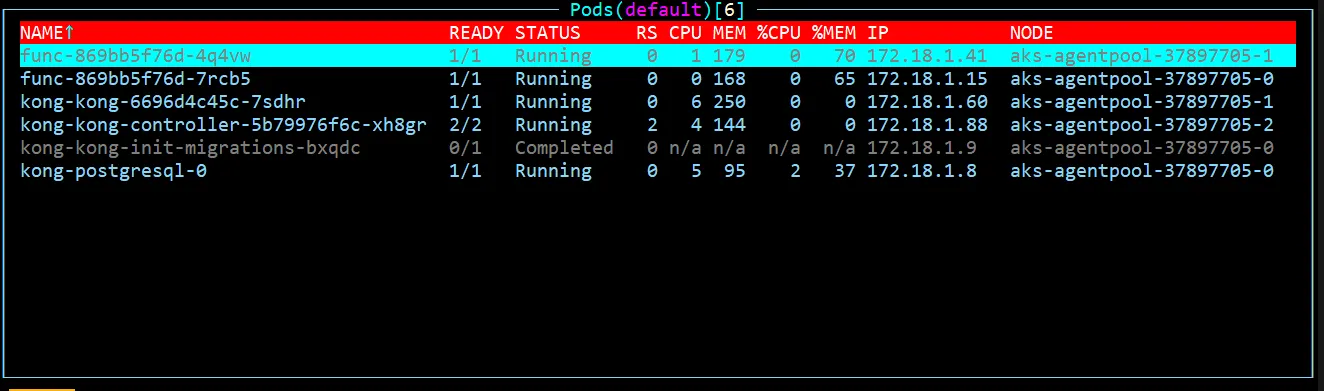
A view on the API pods and Kong via k9s
The ingress definition is shown below:
apiVersion: extensions/v1beta1
kind: Ingress
metadata:
  name: func
  namespace: default
  annotations:
    kubernetes.io/ingress.class: kong
    plugins.konghq.com: http-auth
spec:
  tls:
  - hosts:
    - api-o.baeke.info
    secretName: wildcard-baeke.info.tls
  rules:
    - host: api-o.baeke.info
      http:
        paths:
        - path: /users
          backend:
            serviceName: func
            servicePort: 80
Kong will pick up the above definition and configure itself accordingly.
The API is exposed publicly via https://api-o.baeke.info where the o stands for origin. The secret wildcard-baeke.info.tls refers to a secret which contains the wildcard certificate for *.baeke.info:
apiVersion: v1
kind: Secret
metadata:
  name: wildcard-baeke.info.tls
  namespace: default
type: kubernetes.io/tls
data:
  tls.crt: certificate
  tls.key: key
Naturally, certificate and key should be replaced with the base64-encoded strings of the certificate and key you have obtained (in this case from https://www.sslforfree.com).
At the DNS level, api-o.baeke.info should refer to the external IP address of the exposed Kong Ingress Controller (proxy):
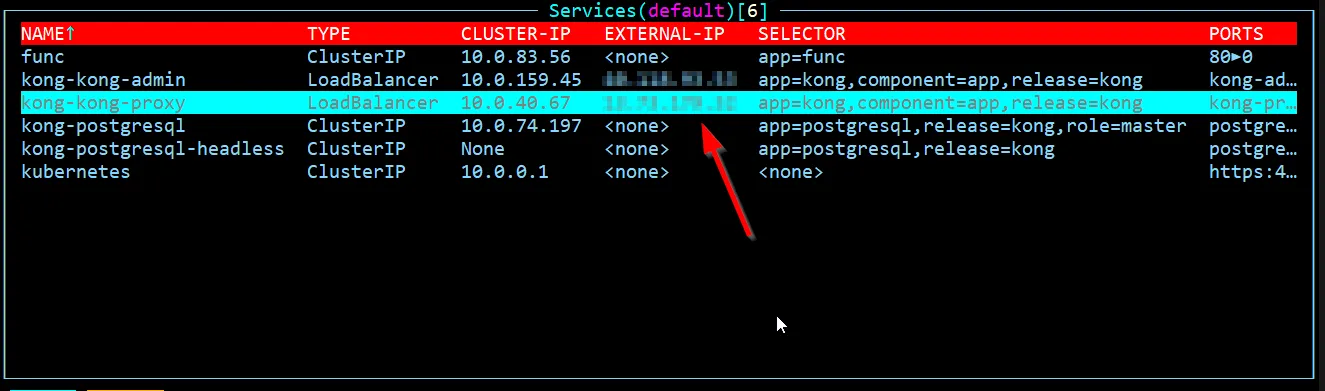
The service kong-kong-proxy is exposed via a public IP address (service of type LoadBalancer)
For the rest, the Kong configuration is not very different from the configuration in Securing your API with Kong and CloudFlare. I did remove the whitelisting configuration, which needs to be updated for Azure Front Door.
Great, we now have our API listening on https://api-o.baeke.info but it is not exposed via Azure Front Door and it does not have a WAF policy. Let’s change that.
Web Application Firewall (WAF) Policy
You can create a WAF policy from the portal:
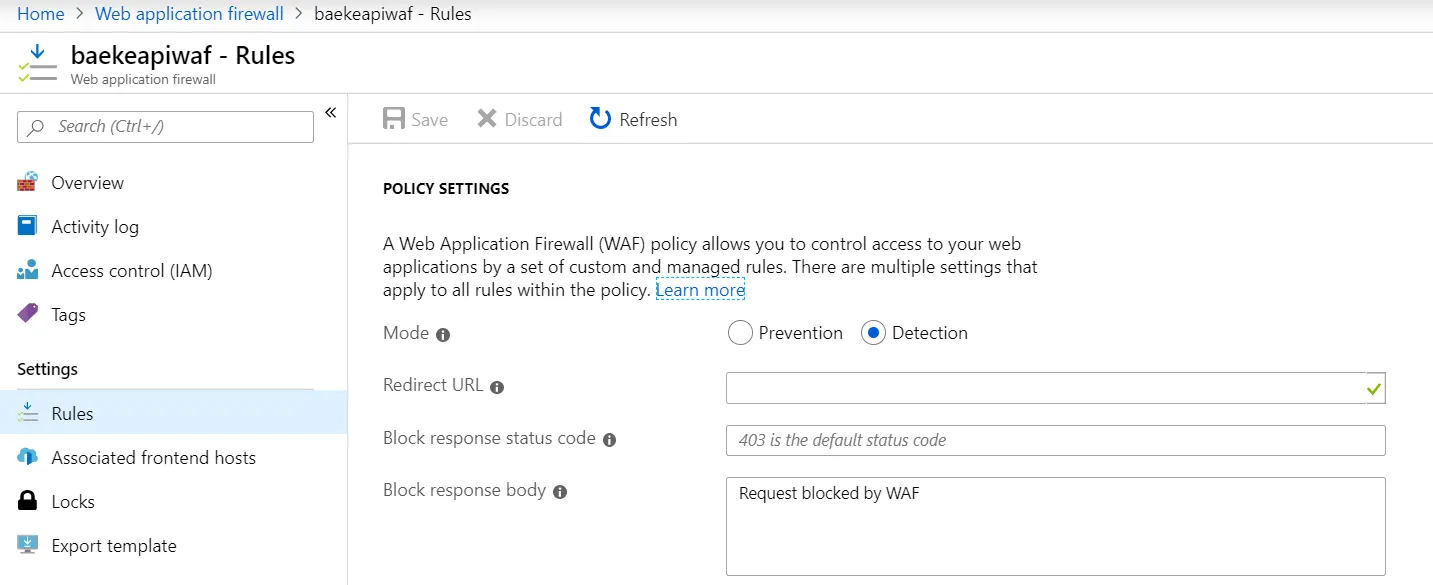
WAF Policy
The above policy is set to detection only. No custom rules have been defined, but a managed rule set is activated:
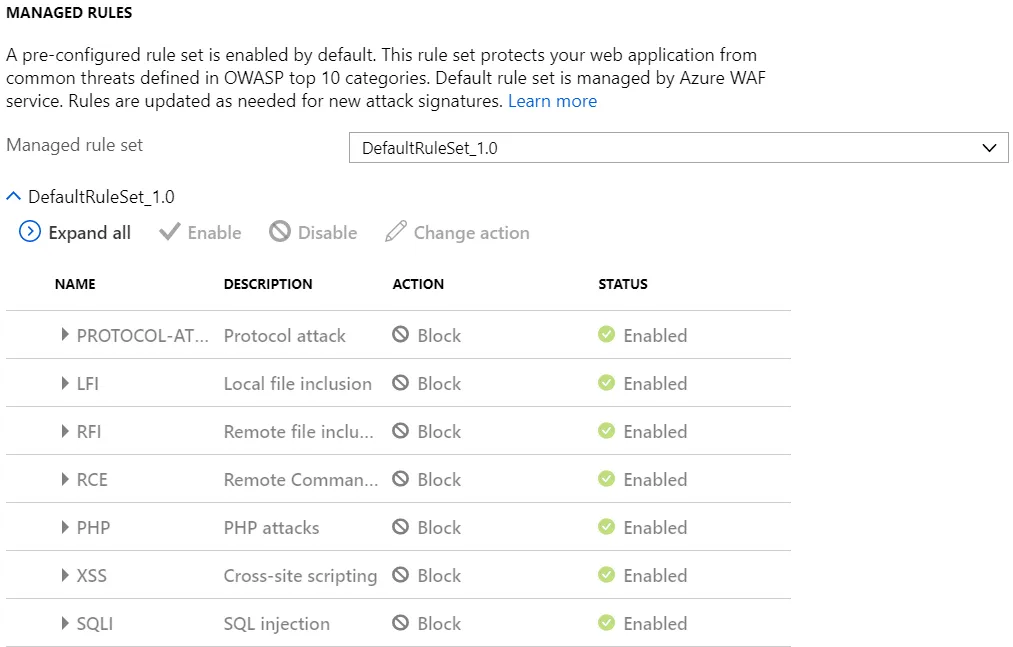
Managed rule set for OWASP
The WAF policy was saved as baekeapiwaf. It will be attached to an Azure Front Door frontend. When a policy is attached to a frontend, it will be shown in the policy:
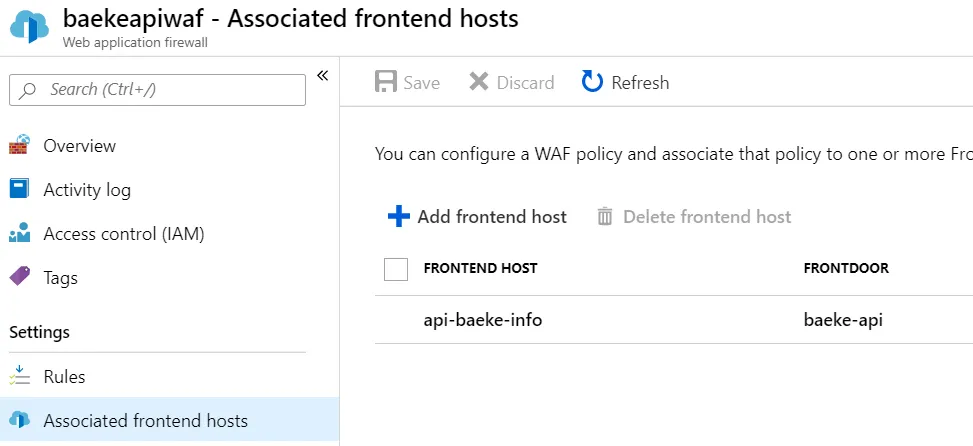
Associated frontends (Front Door front-ends)
Azure Front Door
We will now add Azure Front Door to obtain the following flow:
Consumer ---> https://api.baeke.info (Front Door + WAF) --> https://api-o.baeke.infoThe final configuration in Front Door Designer looks like this:
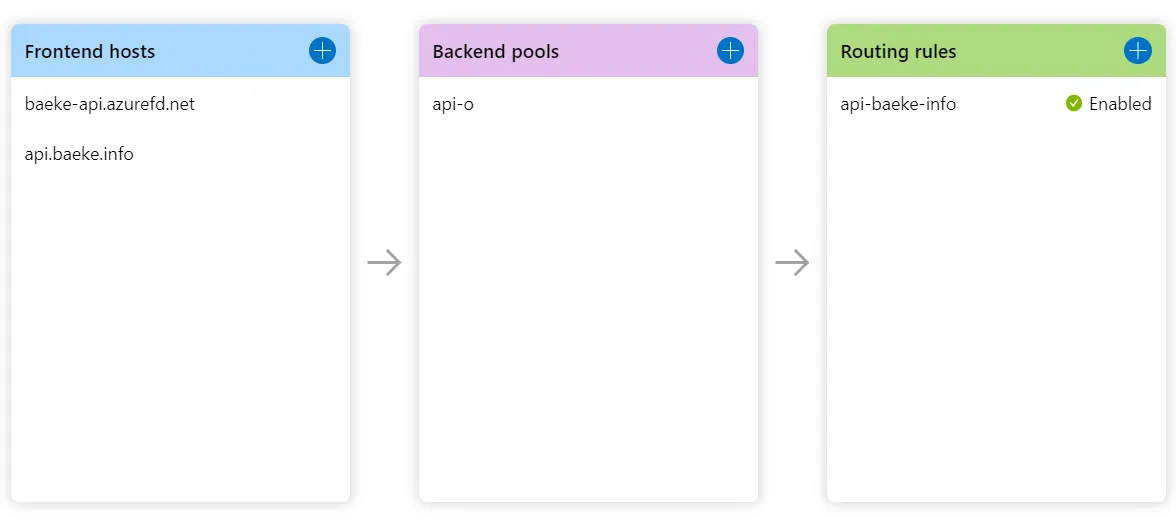
Front Door Designer
When a request comes in for api.baeke.info, the response from api-o.baeke.info is served. Caching was not enabled. The frontend and backend are tied together via the routing rule.
The first thing you need to do is to add the azurefd.net frontend which is baeke-api.azurefd.net in the above config. There’s not much to say about that. Just click the blue plus next to Frontend hosts and follow the prompts. I did not attach a WAF policy to that frontend because it will not forward requests to the backend. We will use a custom domain for that.
Next, click the blue plus again to add the custom domain (here api.baeke.info). In your DNS zone, create a CNAME record that maps api.yourdomain.com to the azurefd.net name:

Mapping of custom domain to azurefd.net domain in CloudFlare DNS
I attached the WAF policy baekeapiwaf to the front-end domain:
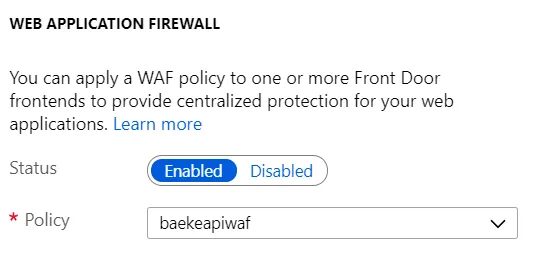
WAF policy with OWASP rules to protect the API
Next, I added a certificate. When you select Front Door managed, you will get a Digicert managed image. If the CNAME mapping is not complete, you will get an e-mail from Digicert to approve certificate issuance. Make sure you check your e-mails if it takes long to issue the certificate. It will take a long time either way so be patient! 💤💤💤
Now that we have the frontend, specify the backend that Front Door needs to connect to:
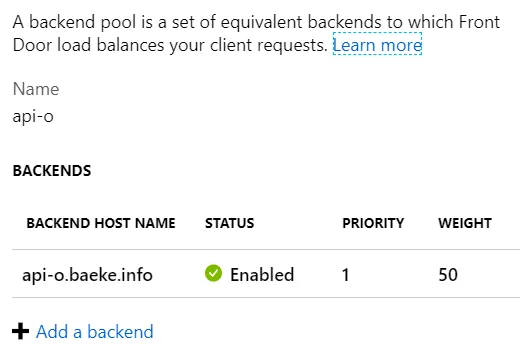
Backend pool
The backend pool uses the API exposed at api-o.baeke.info as defined earlier. With only one backend, priority and weight are of no importance. It should be clear that you can add multiple backends, potentially in different regions, and load balance between them.
You will also need a health probe to check for healthy and unhealthy backends:
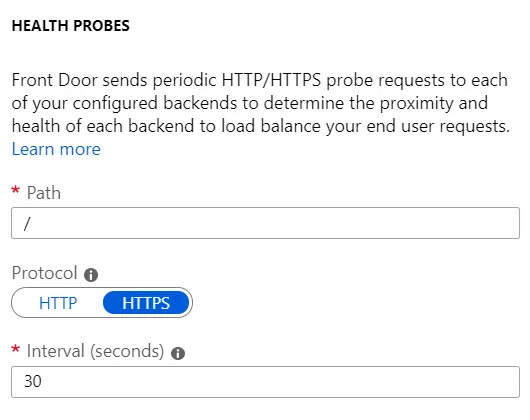
Health probes of the backend
Note that the above health check does NOT return a 200 OK status code. That is the only status code that would result in a healthy endpoint. With the above config, Kong will respond with a “no Route matched” 404 Not Found error instead. That does not mean that Front Door will not route to this endpoint though! When all endpoints are in a failed state, Front Door considers them healthy anyway 😲😲😲 and routes traffic using round-robin. See the documentation for more info.
Now that we have the frontend and the backend, let’s tie the two together with a rule:
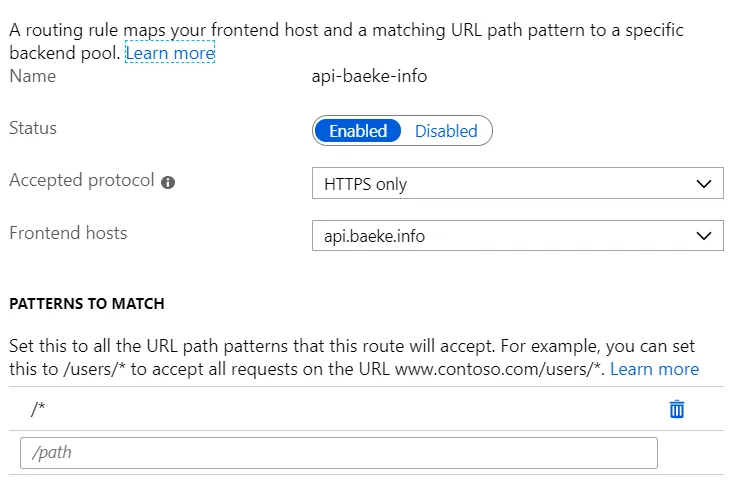
First part of routing rule
In the first part of the rule, we specify that we listen for requests to api.baeke.info (and not the azurefd.net domain) and that we only accept https. The pattern /* basically forwards everything to the backend.
In the route details, we specify the backend to route to:
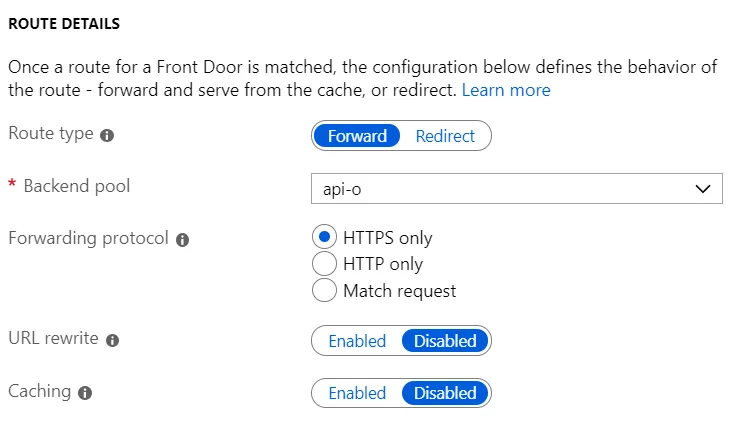
Backend to route to
Clearly, we want to route to the api-o backend we defined earlier. We only connect to the backend via HTTPS. It only accepts HTTPS anyway, as defined at the Kong level via a KongIngress resource.
Note that it is possible to create a HTTP to HTTPS redirect rule. See the post Azure Front Door Revisited for more information. Without the rule, you will get the following warning:

Please disregard this warning 😎
Test, test, test
Let’s call the API via the http tool:
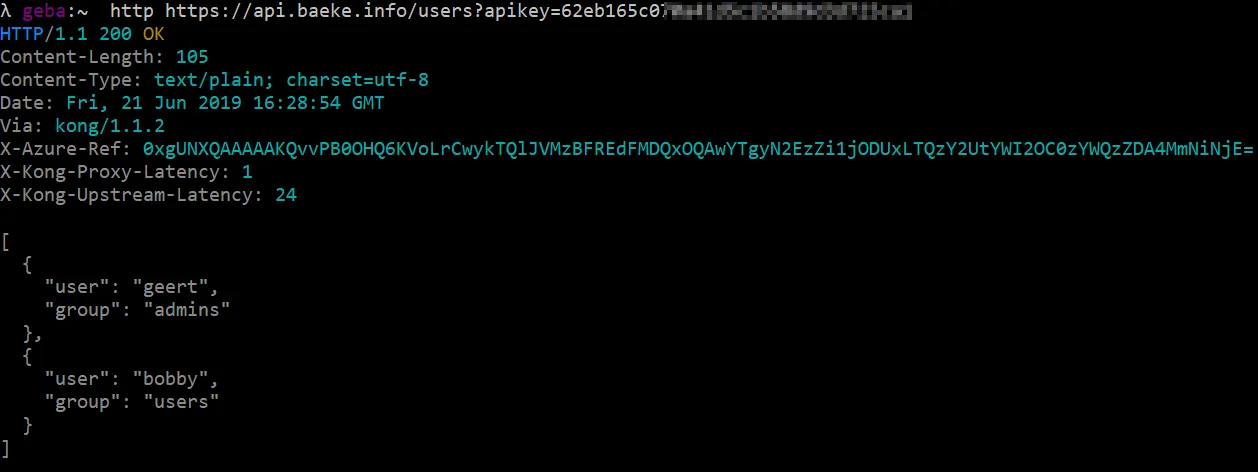
Clearly, Azure Front Door has served this request as indicated by the X-Azure-Ref header. Let’s try http:

Azure Front Door throws the above error because the routing rule only accepts https on api.baeke.info!
White listing Azure Front Door
To restrict calls to the backend to Azure Front Door, I used the following KongPlugin definition:
apiVersion: configuration.konghq.com/v1
kind: KongPlugin
metadata:
  name: whitelist-fd
  namespace: default
config:
  whitelist:
  - 147.243.0.0/16
plugin: ip-restriction
The IP range is documented here. Note that the IP range can and probably will change in the future.
In the ingress definition, I added the plugin via the annotations:
annotations:
  kubernetes.io/ingress.class: kong
  plugins.konghq.com: http-auth, whitelist-fd
Calling the backend API directly will now fail:
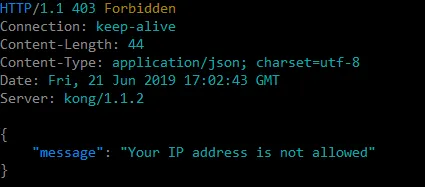
That’s a no no! Please use the Front Door!
Conclusion
Publishing APIs (or any web app), whether they are running on Kubernetes or other systems, is easy to do with the combination of Azure Front Door and Web Application Firewall policies. Do take pricing into account though. It’s a mixture of relatively low fixed prices with variable pricing per GB and requests processed. In general, CloudFlare has the upper hand here, from both a pricing and features perspective. On the other hand, Front Door has advantages when it comes to automating its deployment together with other Azure resources. As always: plan, plan, plan and choose wisely! 🦉
#aks#api#apimanagement#azure#frontdoor#kubernetes
If this post helped you, you can buy me a coffee ☕
Comments
Comments are stored as GitHub Discussions: sign in with GitHub to join in.